Data analysis – all pages

Start

SInES Tools

Projects and systems

Data analysis β€Ί SInES Tools β€Ί Data tables and statistics

SInES Tools Β· tables

Data tables and statistics

From tracking files to results: check the data next to the video, merge time series, explore with statistics and plots – then move to R or JASP for the final analysis.

Check and analyse tracking data

Always look at the tracking next to the video before computing measures.

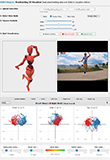
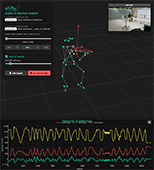
3D Data Analyzer β†—

Visualises, analyses and edits 3D data: Qualisys motion capture and body, hand, face and point tracking from video. Trajectories, smoothing (1€ filter), velocity, acceleration, joint angles, head pitch/roll/yaw, PCA; avatars.

Input
BlazePose CSV, Qualisys TSV, video
Output
kinematics as CSV, avatar videos, glb files
In Healthy Strings
Checking tracking quality next to the video and computing joint angles.
Watch out
Note the smoothing settings in your methods – they change velocity and acceleration.
2D Data Analyzer β†—

The 2D counterpart: visualises and edits MoveNet, BlazePose and other 2D tracking data.

Input
2D tracking CSV, video
Output
kinematics and cleaned data (CSV)
In Healthy Strings
Cleaning 2D data from the 30R video.

Prepare and merge

One time axis, consistent formats, optional smoothing and standardisation.

Excel Synchroniser β†—

Brings tables with different sampling rates onto one time axis.

Input
CSV/Excel tables with time columns
Output
one merged table
In Healthy Strings
Merging pose data (60 fps), audio features and ratings.
Watch out
Check the time offset between cameras first (clap).
Moving Averager β†—

Moving average with an adjustable window.

Input
CSV/Excel
Output
smoothed columns
In Healthy Strings
Smoothing noisy landmark traces.
Watch out
Smoothing hides fast movements such as vibrato.
Z-Transformer β†—

z-standardises every column.

Input
CSV/Excel
Output
z-values
In Healthy Strings
Comparing players with different body size or recordings with different levels.
CSV Formatter β†—

Converts between Excel and CSV formats (separators, decimal comma or point).

Input
CSV/Excel
Output
converted file
In Healthy Strings
Fixing the decimal comma of German-language exports before R or Python.

Statistics in the browser

Good for exploring and teaching; for repeated measures and mixed models use R or JASP.

Columns Correlator β†—

Finds correlations between columns.

Input
CSV/Excel
Output
correlation matrix
In Healthy Strings
First look at relations between movement and sound features.
Watch out
Correlation is not causation; time series are autocorrelated.
t-Tester β†—

Tests differences between columns.

Input
CSV/Excel
Output
t-tests
In Healthy Strings
Simple comparisons, e.g. two conditions.
Watch out
Many tests β†’ correct for multiple testing.
Interrater Calculator β†—

Fleiss' kappa for agreement between raters.

Input
CSV/Excel with ratings
Output
kappa values
In Healthy Strings
Agreement of physiotherapists or teachers on categories.
Watch out
For 0–100 scales use the ICC (R).
SupANOVA β†—

ANOVA and PCA to find patterns in multidimensional data.

Input
CSV/Excel
Output
ANOVA tables, PCA
In Healthy Strings
Exploring differences between outfits, tasks or players.
Time Series Analyser β†—

Analyses time series such as audio, physiological or movement data.

Input
CSV/Excel
Output
time-series statistics
In Healthy Strings
Looking at a whole performance curve.

Plots

Quick figures from Excel or CSV tables.

Excel Visualiser β†—

Charts and plots from Excel or CSV tables.

Input
CSV/Excel
Output
charts
In Healthy Strings
Quick figures for meetings.
Excel Boxplotter β†—

Box, violin or radar plots.

Input
CSV/Excel
Output
plots
In Healthy Strings
Distributions per outfit, task or group.
Heatmapper β†—

Heatmaps from Excel or CSV tables.

Input
CSV/Excel
Output
heatmap
In Healthy Strings
Overview of many points Γ— tasks.

When R, JASP or Python

  • Repeated measures (tasks within players, several runs): mixed models, e.g. R lme4::lmer().
  • Agreement of continuous ratings (0–100 lines): intraclass correlation, e.g. R irr::icc() or psych::ICC(); Fleiss’ kappa only for categories.
  • Agreement of two methods (camera vs. camera, video vs. lab): concordance correlation coefficient and Bland–Altman plots.
  • Movement quality (smoothness, symmetry, synchronisation): PyEyesWeb in Python.

SInES Tools: Christoph Reuter and the SInES team, Department of Musicology, University of Vienna – free, MIT licence, everything runs in your browser, no data leaves your computer. Full catalogue (about 120 tools): sinestools.univie.ac.at. Cite: Reuter, C., Czedik-Eysenberg, I., Cui, A.-X., Ambros, S., Klooss, F., Feller, G., Schachner, I., Roos, M., Lindenbauer, H., Li, H., & Bertsch, M. (2026). SInES Tools, helpers, visualizers as your scientific realizers. In Fortschritte der Akustik – DAGA 2026 (pp. 1002–1005). https://doi.org/10.71568/daga2026.094
↑